One license.
Every student.
Instead of families paying $4.99 a month for each student, your school pays $5 per student for the whole year. Every student gets full Speaklit: unlimited reading out loud and unlimited AI help, on every Chromebook.
 Speaklit
School license
Your School
Every student · Every teacher · Every device
per year
- Unlimited reading out loud
- Unlimited AI explains & questions
- Chromebooks, Windows & any browser
- Setup help & teacher training
- Unlimitedreading & AI for every student
- Chromebooksplus Windows and any browser
- $0for families, ever
- Setup includedwe work with your IT team
See what your school would pay
Compare with what families would pay for
Individual prices from our pricing page, over a 10-month school year.
Includes everything in Pro: unlimited reading and unlimited AI, more than Basic’s 10 AI answers a day.
Full Speaklit, on every page they read.
A small bar floats over the websites, PDFs and assignments your students already use. No new platform for anyone to learn.
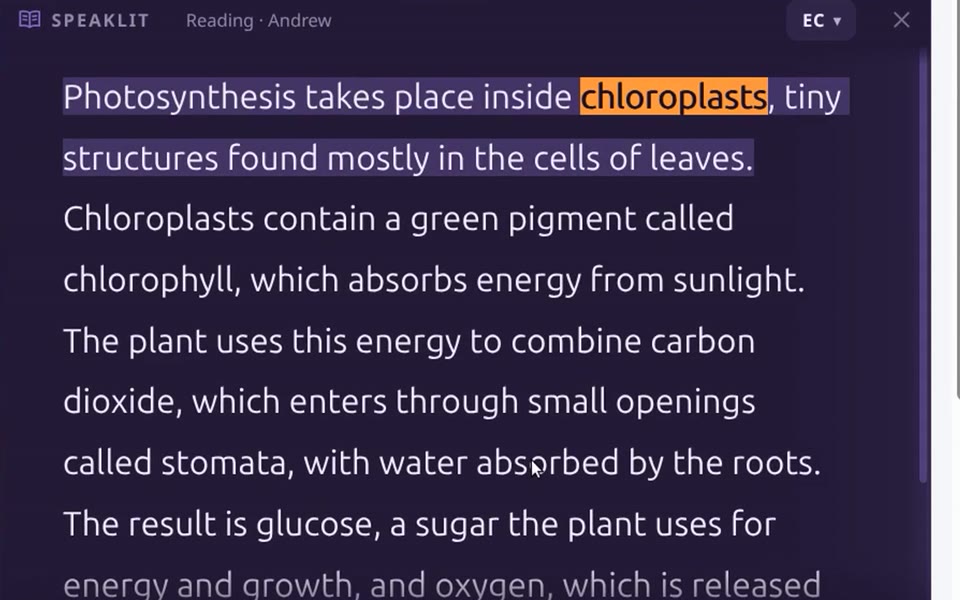
Hears any text, out loud
Students copy a passage and press RC. Speaklit reads it in a natural voice and lights up each word as it’s spoken.
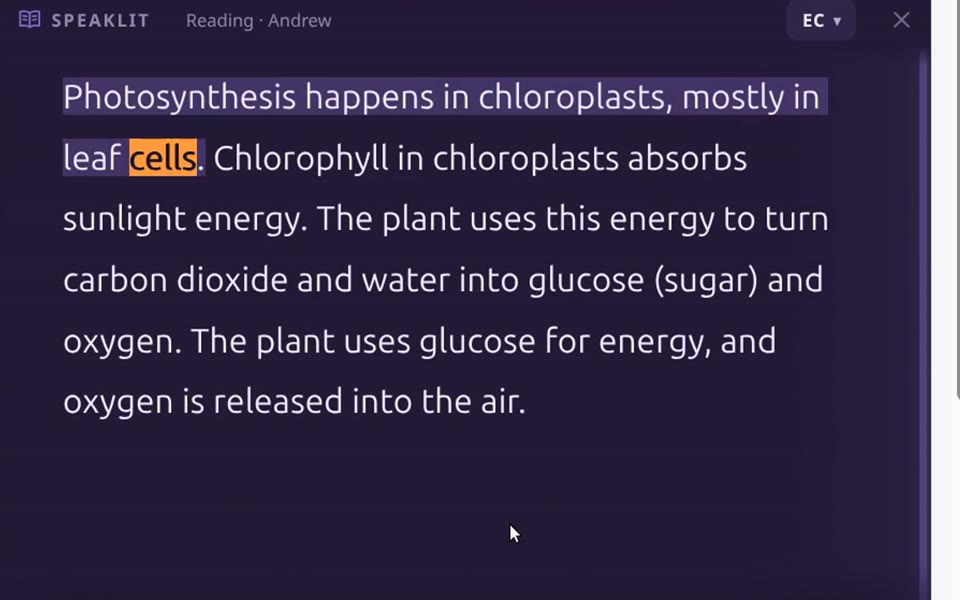
Understands what it means
EC rewrites hard passages in plain words: a short summary, key terms, step by step or “like I’m 5”. Then reads it aloud.
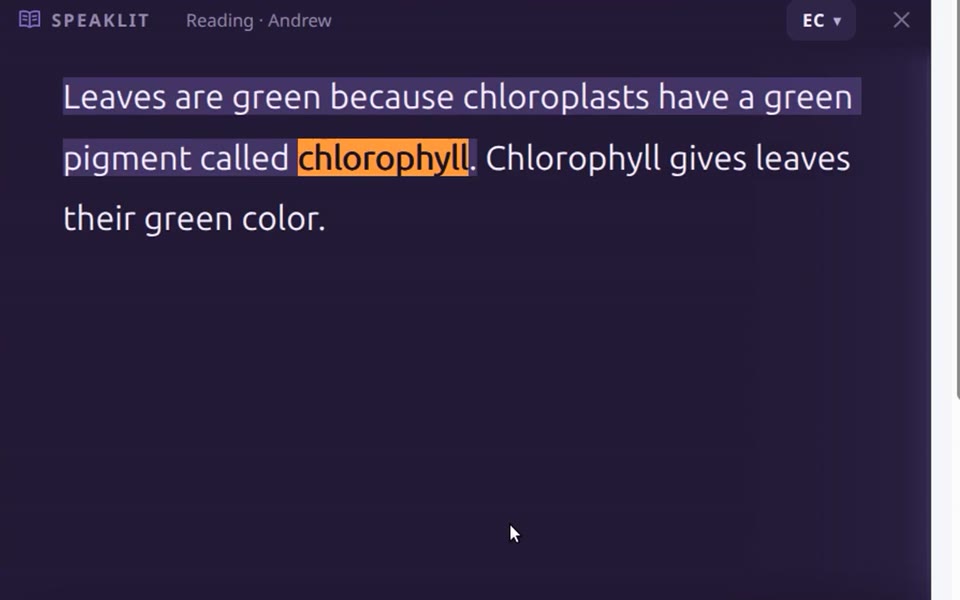
Gets questions answered
Students type a question about the text, like “why are leaves green?”, and hear the answer, like a tutor sitting next to them.
Watch the 1-minute video or try it yourself right in your browser.
Per student vs. a school license
One simple price. No surprises.
For a class, a whole school or a district. Same great price.
- Unlimited reading out loud with word highlighting
- Unlimited AI explains and questions
- 13 natural voices, speeds and reading looks
- Chromebooks, Windows and any browser
- Teachers included free
- Student accounts set up for you
- Setup help for IT and a training call for teachers
- Add students any time during the year
Billed to the school once a year. Families never pay.
What schools pay
The same 500-student school on individual plans: $24,950 a year, paid by families.
From one email to every Chromebook.
- Email usYour school, how many students, and the devices they use. We reply within a few hours.
- Get your invoice$5 per student for the year, billed to the school. One invoice, nothing for families.
- We set it upWe create every student account and work with your IT team to get Speaklit on each device.
- Students just use itCopy any text, press RC to hear it, EC to understand it. A quick call gets teachers started.
Built to collect as little as possible.
Sent only when a student presses a button, used to make the voice or answer, then gone.
No advertising and no tracking cookies. Just one cookie to keep students signed in.
The extension doesn’t read, collect or send the pages students visit.
We’ll go through your district’s review with you and delete any account on request. Privacy policy
Give every student Speaklit this year.
Send us one email with your school and student count. We’ll reply personally, usually within a few hours, with your invoice, or set up a free pilot first if you’d like to try it.
Or email us at
Get my quote nowA 30-second form. Your quote lands in your inbox right away.
We usually reply within a few hours.
School license FAQ
How much does it cost?
$5 per student, per year, for everyone on the license. A class of 30 is $150 a year; a school of 500 is $2,500 a year. Teachers are included free.
Do families have to pay anything?
No. Everyone on your school’s license gets full Speaklit, with unlimited reading and AI help, at no cost to families.
How do we pay?
We send one invoice to the school for the year. Email us your student count and we’ll get it to you.
Does it work on Chromebooks?
Yes. Students can use Speaklit in Chrome today at speaklit.ai/app. Speaklit for Chrome, the extension that puts the bar on every page, is coming to the Chrome Web Store; until then we set it up directly for licensed schools. There’s also a Windows app.
How do students sign in?
Each student has a Speaklit account, so their voice and settings follow them from device to device. We create the accounts for your school.
What if students join mid-year?
Just tell us and we’ll add them to your license.
What happens to the text students read?
It’s sent only when a student presses RC, EC or asks a question, passed to Microsoft’s voices or OpenAI to make the voice or answer, and not stored on our servers afterward. See the privacy policy.
Is the AI always right?
No. AI can make mistakes, so students should check important details against the original text. Reading aloud (RC) always uses the exact text the student copied.
Can we try it before buying?
Yes. Ask for a free pilot with one class, or try it yourself right now in your browser.