 Speaklit
Get Speaklit.
Pick where you want to use it. The Windows, Mac and Linux apps and the web version are ready now. The rest are on the way.
Your download has started.
Because Speaklit is new, your browser and Windows will each ask once if you trust it. Here’s exactly what to click. It takes about a minute.
Because Speaklit is new, your Mac asks once if you trust it. Here’s exactly what to click. It takes about a minute.
Two quick steps and Speaklit is running. It takes about a minute.
Didn’t start? Download it again
-
1
Keep the file
Edge says the file “isn’t commonly downloaded.” Click … next to it, then Keep. Then click the small arrow next to Delete and choose Keep anyway.
If your browser says the file “isn’t commonly downloaded,” choose Keep. No warning? Go straight to step 2.
-
2
Open it, then Run anyway
Click Open file in your downloads. If a blue box says “Windows protected your PC,” click More info, then Run anyway. Speaklit installs itself in a few seconds, no admin password needed.
-
3
Make your free account
Speaklit opens by itself with a sign-in box on its bar. Click Sign in with browser, or make your free account right in the box. Then copy any text and press RC to hear it. Next time, open it with the Speaklit icon on your desktop.
-
1
Drag it into Applications
Open the file you downloaded (Speaklit-….dmg) and drag Speaklit onto the Applications folder.
-
2
Open it, then allow it once
Open Speaklit from Applications. Your Mac says it couldn’t verify it: click Done, open System Settings → Privacy & Security, click Open Anyway, then Open Anyway again and type your Mac password.
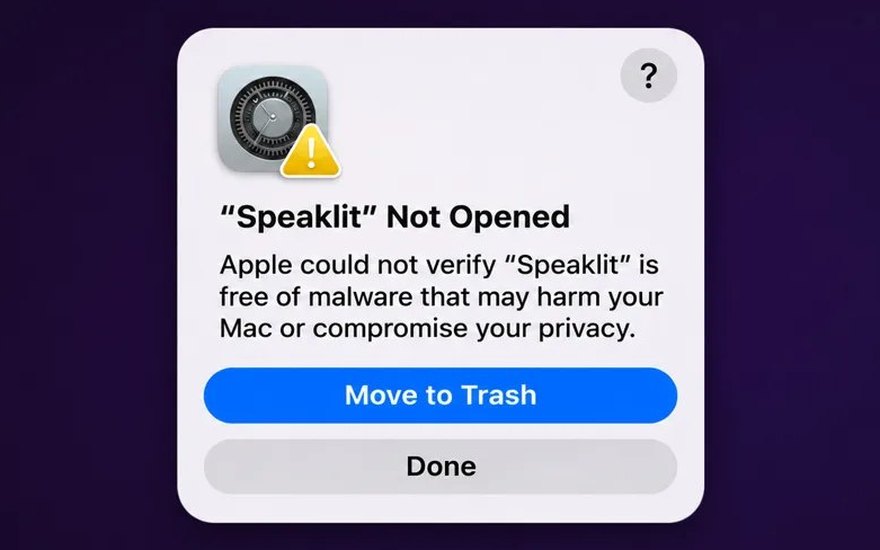
Click Done 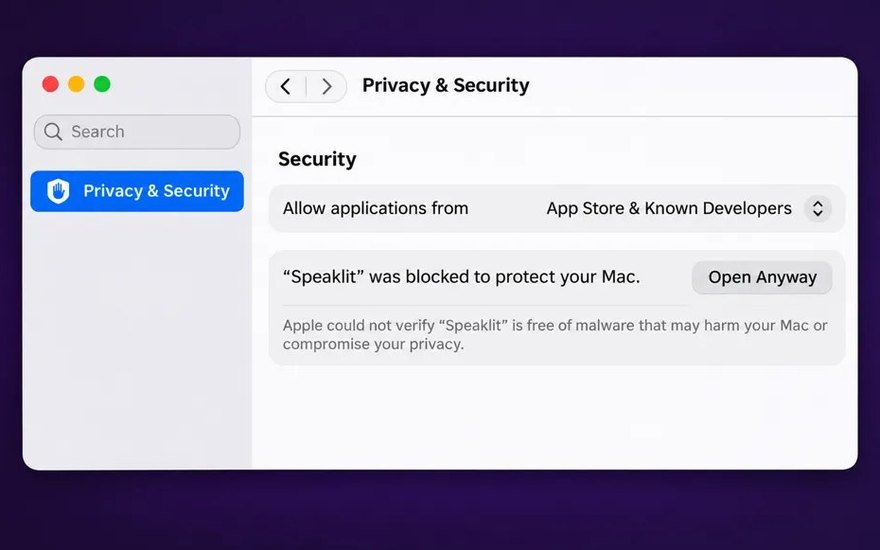
Privacy & Security → Open Anyway 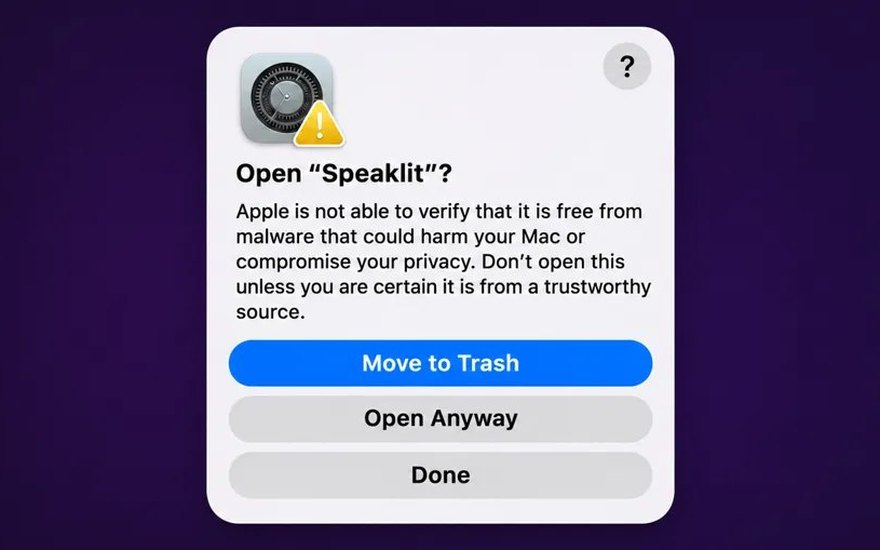
Open Anyway again 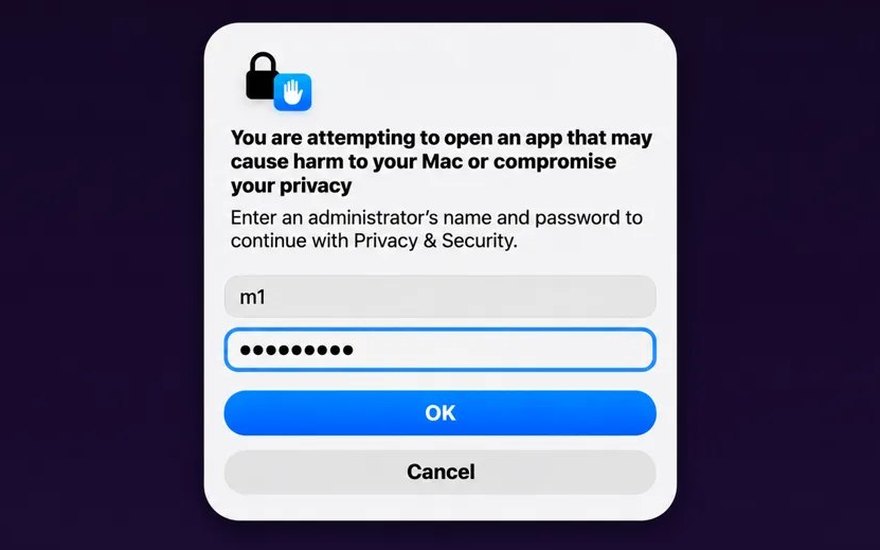
Your Mac password → OK -
3
Make your free account
Create your free account in the window that opens, then copy any text and press RC to hear it. Next time, open it from Applications.
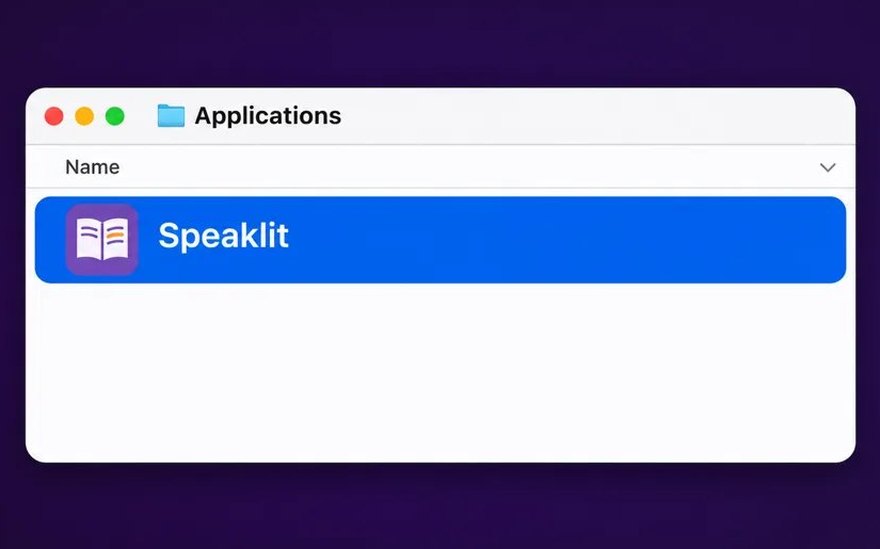
Next time: Applications → Speaklit 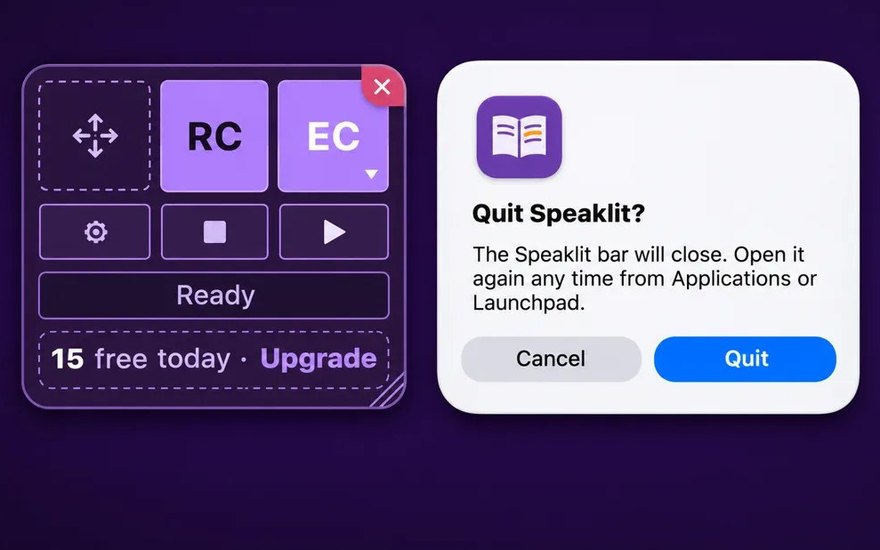
To quit: the ✕ in the bar’s corner
-
1
Allow it to run
In your Files app, right-click the file you downloaded (Speaklit-…AppImage), choose Properties, and turn on Allow this file to run as a program (on Ubuntu: Executable as Program).
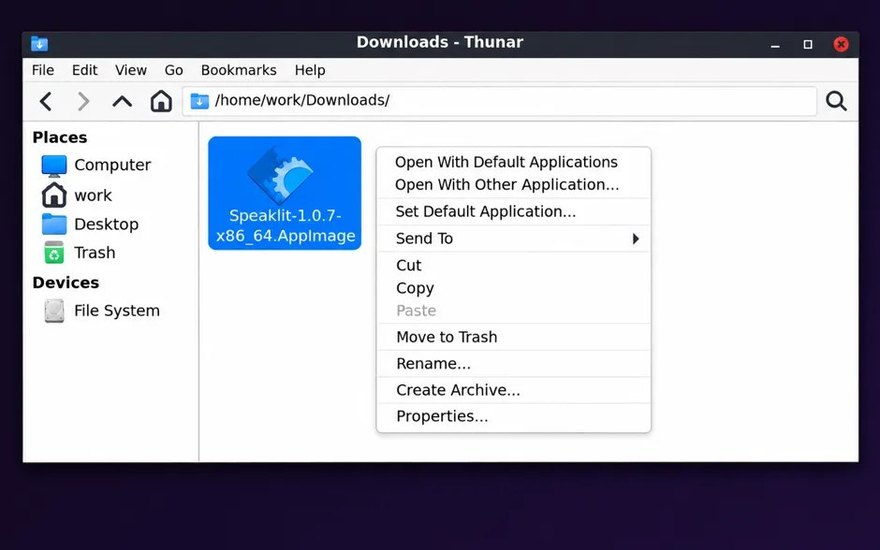
Right-click → Properties 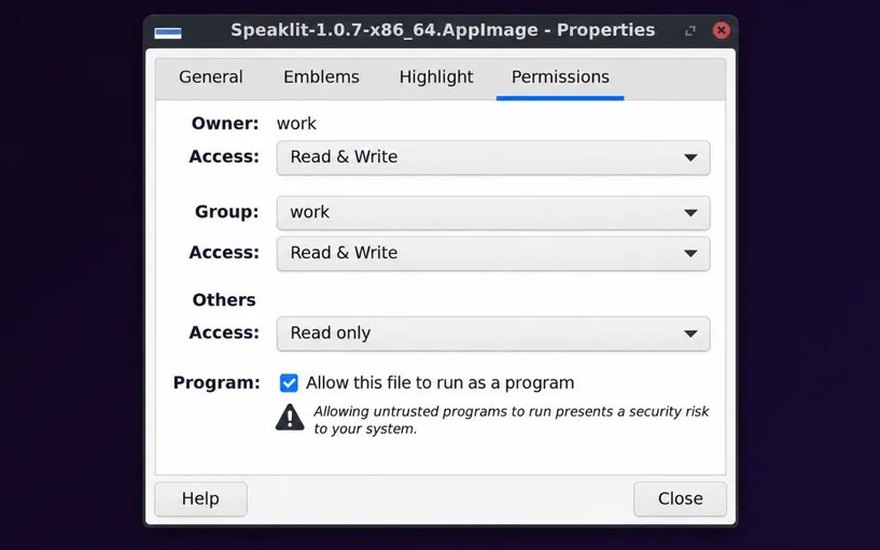
Tick Allow this file to run as a program -
2
Double-click it
Speaklit opens, with nothing else to install, and adds a Speaklit icon to your desktop. Got the .deb instead? Open it with App Center to install it.
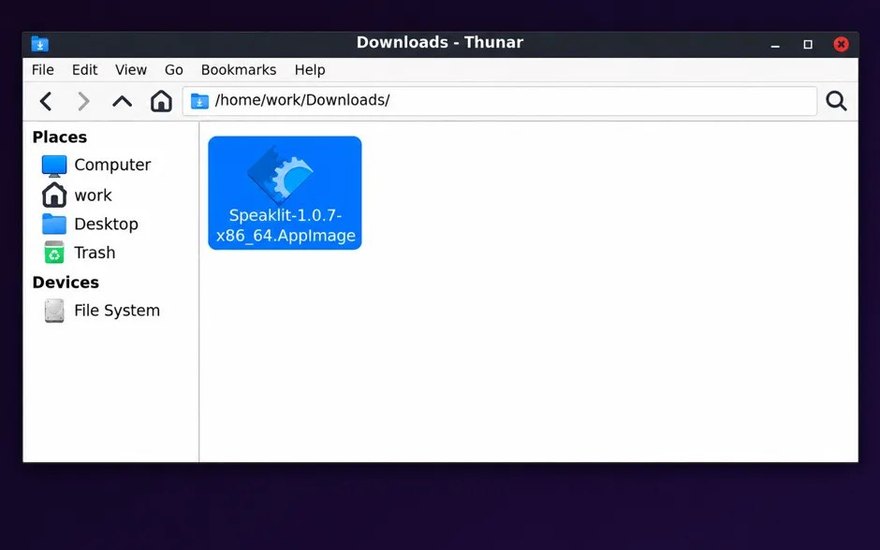
Double-click the file 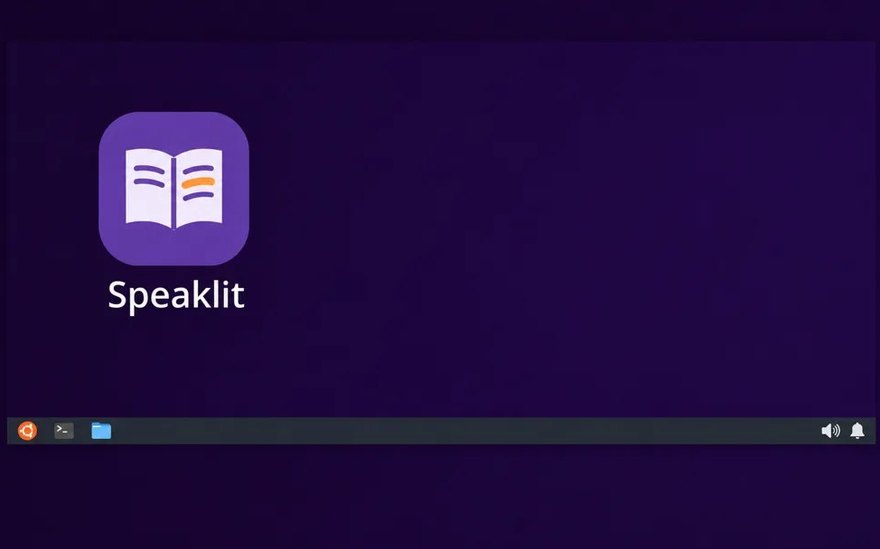
Next time: the Speaklit icon -
3
Make your free account
Sign in on the Speaklit bar: click Sign in with browser, or make your free account right in the box. Then copy any text and press RC to hear it. To quit, click the small ✕ that appears in the bar’s top-right corner when you point at it.
Why the warnings? Windows and Edge warn about any app that hasn’t been downloaded by lots of people yet. Speaklit is new, so it hasn’t built up that history. The file comes straight from speaklit.ai, and you only see these screens once.
Why? Your Mac asks about apps from outside the App Store that Apple hasn’t checked yet. The file comes straight from speaklit.ai, and you only do this once.
Taking you back to your page…
Speaklit will pick up right where you left off. If this tab doesn’t close by itself, you can close it.
You’re all set.
Speaklit floats over every website and document you open in Chrome. You never have to leave the page.
- 1Open anything you’re reading: a website, a Google Doc, a PDF, an email.
- 2Copy the part you want (Ctrl+C).
- 3Press RC on the Speaklit bar to hear it, or EC to have it explained. Ask questions in the box under the text.
Don’t see the bar? Click the Speaklit button in Chrome’s toolbar (pin it from the puzzle-piece menu). Shortcut: Ctrl+Alt+R reads what you copied.
Computer apps
-
WindowsWindows 10 and 11Instructions
-
MacmacOS 11 or newerInstructions
-
LinuxUbuntu, Debian, Fedora and moreInstructions
-
Speaklit on the webAny browser, nothing to installOpen
Browser extensions
-
ChromeChrome and ChromebooksComing soon
-
EdgeMicrosoft EdgeComing soon
-
FirefoxFirefox on computersComing soon
-
SafariSafari on MacComing soon
Phones, tablets and more
-
iPhone and iPadApp StoreComing soon
-
AndroidPhones and tabletsComing soon
-
Microsoft StoreWindows, from the StoreComing soon
-
For schoolsSet it up on every student computerLearn more
Install Speaklit on Windows.
Speaklit sits in a small bar on your screen, over any app, website or PDF. Copy some text, press RC, and listen. Make your free account the first time you open it.
Full instructions and a video →
Your download has started (about 120 MB). If it didn’t, click here.
Install Speaklit on your Mac.
Speaklit sits in a small bar on your screen, over any app, website or PDF. Copy some text, press RC, and listen. Make your free account the first time you open it.
Your download has started (about 224 MB). If it didn’t, click here.
Works on macOS 11 or newer, Apple silicon and Intel. Full instructions and a video →
Install Speaklit on Linux.
Speaklit sits in a small bar on your screen, over any app, website or PDF. Copy some text, press RC, and listen. Make your free account the first time you open it.
Your download has started (about 120 MB). If it didn’t, click here.
Works on 64-bit Linux with a desktop: Ubuntu, Debian, Mint, Fedora and others. On some Wayland desktops the Ctrl+Alt shortcuts only work while a Speaklit window is in front; the RC and EC buttons always work.
Add Speaklit to Chrome.
Then Speaklit floats over every website and document you read. Copy some text, press RC, and listen, without leaving the page.
Add to Chrome
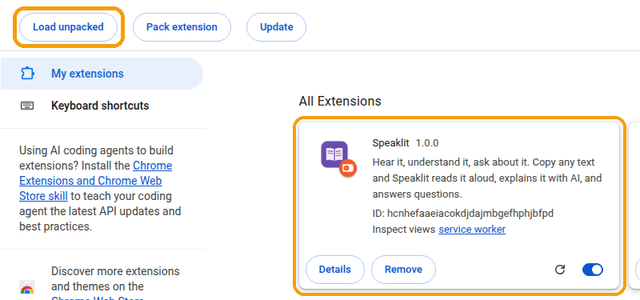
This is the early version while Speaklit waits for the official store. Once it’s listed, this becomes a single “Add” button.
- Free every day20 uses a day, no card needed
- Installs in a minutemake your account when you open it
- Floats over everythingany app, website, PDF or doc
- Privatetext is only sent when you press a button